
Welcome to Catalog Tips
Search more than 200 articles to learn more about creating and automating your product catalogs
Tip: Start typing in the input box for immediate search results.
Export – Create Excel file for use in EasyCatalog panel
Export
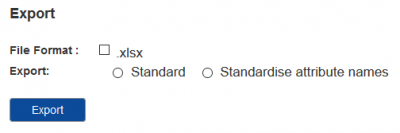
File Format
Currently only XLSX files may be exported.
Export
Standard
Category structure, category text blocks, products and product attributes will be exported into a single table, for example.
| Category1ID | Category1Name | Category2ID | Category2Name | CollectionID | CollectionName | ProductID | ProductCode | ProductName | Length | Width | Height | RRP |
Standardise attribute names
Category structure, category text blocks, products and product attributes will be exported into a single table. Product attributes will be transformed within each collection
- Attribute1Name
- Attribute1Value
- etc
Export History
All files exported by this user/organisation are available for download from this table.